Description
[color=blue][size=18]Download[/color][/size][list]
:arrow: http://addons.eventscripts.com/addons/view/fest[/list]
[color=blue][size=18]Installation[/color][/size][list]
[*]Extract all files to your ./cstrike/ directory
[*]Edit the config file under ./cstrike/addons/eventscripts/fest/fest_config.py to your liking
[*]Add the line es_load fest in your autoexec.cfg
[*]Restart your server
[/list]
[color=blue][size=18]Description:[/color][/size][list]
[*]Fake ES_Tools is just a little thing that I got carried away with when I was bored... It started out as just making a blackhole without es_tools, but then it carried on to oh, I want to make an addon that has a really cool client flag system, like Mani's. So it kinda just grew from there... There's alot of commands in f.e.s.t that normally, people would have just used es_tools for. I'm not saying that es_tools is bad, it's much more reliable than this, it's just another option for scripters to use these examples so that some people don't complain "Oh, you didn't need to use es_tools"
[*][color=red][size=14]Thanks To[/color][/size][list]
[*]Chun, he's the best the bestest of teh best, he let me use his drop nade code for fest_enable_advanced_weapon_drop :o
[*]Don, he tested my ideas, when I was too lazy to xD
[*]GODJonez, he helped me with the blackhole pull for entities
[*]Einlanzers, I was searching for a way to extinguish flames and I saw his example :)
[*]SumGuy14, I stole his dissolve effects :P[/list]
[*][color=red][size=14]Configuration[/color][/size][list]
[*]All Configuration is done in the file fest_config.py. It is found under cstrike/addons/eventscripts/fest/
[*]The config options are also here for you to take a look at
[syntax="python"]
# Let's alive people see dead people's texts
fest_enable_dead_chat = 1
# Letters that if the sentance said by a dead person begins with, is exluded usefull for admin commands
# seperate them with a comma and have them in brackets
fest_excluded_dead_talk_characters = ('@', '!')
# Allow people to drop grenades Thanks to Chun for this!
fest_enable_advanced_weapon_drop = 1
# a number between 0.1 and 0.5 this is how good the quality of the blackhole is lower is higher. Higher quality causes a little more lag, it shouldn't be an issue though, if you don't use it all the time.
fest_blackhole_quality = 0.1
# If 1, anyone can type fest_admins in console and get a list of admins and their flags on the server if 0, admins only
fest_public_admins = 1
[/syntax][/list]
[*][color=red][size=14]Admin Flags[/color][/size][list]
[*]This addon has Customizable admin flags and immunites, just like the ones mani has. It is extremely similar to clients.txt except that you will find all admin flags and setup in fest_config.py
[*]Flags, thier descriptions and some examples are below
[syntax="python"]
# a - Blackhole
# b - Speed
# c - Health
# d - Cash
# e - Color
# f - Teleport
# g - Entteleport
# h - Physpush
# i - Burn
# j - Damage
# k - Cexec
# l - Give
# m - Jetpack
# n - Noclip
# o - Rocket
# p - Stripplayer
# q - Slay
# r - Shake
# s - Gravity
# t - Drug
# u - Kick
# v - Ban
# w - Beam
# x - Ring
# y - Unban
# z - Drunk
# A - Freeze
# B - Fade
# C - Setkills
# D - Setmodel
# E - Give Admin
# F - Take Admin
# G - Extinguish
admins = {
'STEAM_0:0:1232154534': {
'flags': 'abcdefghijklmnopqrstuvwxyzABCDEFG', # This person has all admn flags
'immunities': 'bcdefhijklmnopqrstuv', # This person has most immunities
'name': 'Cow Go Moo' # This is the name that'll appear when admins type fest_adimns in console
}, # The comma here is important because we have another admin after
'STEAM_0:0:23943342': {
'flags': 'abc', # This person only has Blackhole, Speed and Health flags
'immunities': 'uv', # They only have immunity to Kick and Ban
'name': "Cow Don't go moo" # We have to have the name in ""s instead of ''s because there's a ' in the name
} # We don't have a comma here because it's the last admin in the list!
}
[/syntax]
[/list]
[*][color=red][size=14]Admin Commands[/color][/size][list]
[color=orange][size=13]Rocket[/color][/size][list]
[*][color=green]Description[/color] - Rocket a player
[*][color=green]Syntax[/color][code][/code]
[*][color=green]Admin Flag[/color] - o[/list]
[color=orange][size=13]Give[/color][/size][list]
[*][color=green]Description[/color] - Give a player an item
[*][color=green]Syntax[/color][code] [/code]
[*][color=green]Admin Flag[/color] - l[/list]
[color=orange][size=13]Color[/color][/size][list]
[*][color=green]Description[/color] - Set a player's color
[*][color=green]Syntax[/color][code] [/code]
[*][color=green]Admin Flag[/color] - e[/list]
[color=orange][size=13]Damage[/color][/size][list]
[*][color=green]Description[/color] - Damage a player
[*][color=green]Syntax[/color][code] [/code]
[*][color=green]Admin Flag[/color] - j[/list]
[color=orange][size=13]Entteleport[/color][/size][list]
[*][color=green]Description[/color] - Teleport an entity
[*][color=green]Syntax[/color][code] [/code]
[*][color=green]Admin Flag[/color] - g[/list]
[color=orange][size=13]Drug[/color][/size][list]
[*][color=green]Description[/color] - Drug a player
[*][color=green]Syntax[/color][code] [/code]
[*][color=green]Admin Flag[/color] - t[/list]
[color=orange][size=13]Shake[/color][/size][list]
[*][color=green]Description[/color] - Shake a player's screen
[*][color=green]Syntax[/color][code] [/code]
[*][color=green]Admin Flag[/color] - r[/list]
[color=orange][size=13]Ring[/color][/size][list]
[*][color=green]Description[/color] - Create a ring around a player
[*][color=green]Syntax[/color][code] [/code]
[*][color=green]Admin Flag[/color] - x[/list]
[color=orange][size=13]Speed[/color][/size][list]
[*][color=green]Description[/color] - Set a player's speed
[*][color=green]Syntax[/color][code] [/code]
[*][color=green]Admin Flag[/color] - b[/list]
[color=orange][size=13]Teleport[/color][/size][list]
[*][color=green]Description[/color] - Teleport a player
[*][color=green]Syntax[/color][code] [/code]
[*][color=green]Admin Flag[/color] - f[/list]
[color=orange][size=13]Jetpack[/color][/size][list]
[*][color=green]Description[/color] - Jetpack a player
[*][color=green]Syntax[/color][code] [/code]
[*][color=green]Admin Flag[/color] - m[/list]
[color=orange][size=13]Slay[/color][/size][list]
[*][color=green]Description[/color] - Slay a player
[*][color=green]Syntax[/color][code] [/code]
[*][color=green]Admin Flag[/color] - q[/list]
[color=orange][size=13]Gravity[/color][/size][list]
[*][color=green]Description[/color] - Set per player gravity
[*][color=green]Syntax[/color][code] [/code]
[*][color=green]Admin Flag[/color] - s[/list]
[color=orange][size=13]Health[/color][/size][list]
[*][color=green]Description[/color] - Set a player's health
[*][color=green]Syntax[/color][code] [/code]
[*][color=green]Admin Flag[/color] - c[/list]
[color=orange][size=13]Physpush[/color][/size][list]
[*][color=green]Description[/color] - Slap a player
[*][color=green]Syntax[/color][code] [/code]
[*][color=green]Admin Flag[/color] - h[/list]
[color=orange][size=13]Kick[/color][/size][list]
[*][color=green]Description[/color] - Kick a player
[*][color=green]Syntax[/color][code] [/code]
[*][color=green]Admin Flag[/color] - u[/list]
[color=orange][size=13]Burn[/color][/size][list]
[*][color=green]Description[/color] - Burn a player
[*][color=green]Syntax[/color][code] [/code]
[*][color=green]Admin Flag[/color] - i[/list]
[*][color=green]Thanks To[/color] - Freddukes
[color=orange][size=13]Blackhole[/color][/size][list]
[*][color=green]Description[/color] - Create a blackhole
[*][color=green]Syntax[/color][code] [/code]
[*][color=green]Admin Flag[/color] - a[/list].
[*][color=green]Thanks To[/color] - GODJonez
[color=orange][size=13]Beam[/color][/size][list]
[*][color=green]Description[/color] - Create a beam between two coords
[*][color=green]Syntax[/color][code] [/code]
[*][color=green]Admin Flag[/color] - w[/list]
[color=orange][size=13]Noclip[/color][/size][list]
[*][color=green]Description[/color] - Noclip a player
[*][color=green]Syntax[/color][code] [/code]
[*][color=green]Admin Flag[/color] - n[/list]
[color=orange][size=13]Cash[/color][/size][list]
[*][color=green]Description[/color] - Set a player's cash
[*][color=green]Syntax[/color][code] [/code]
[*][color=green]Admin Flag[/color] - d[/list]
[color=orange][size=13]Stripplayer[/color][/size][list]
[*][color=green]Description[/color] - Strip all of a players weapons
[*][color=green]Syntax[/color][code][/code]
[*][color=green]Admin Flag[/color] - p[/list]
[color=orange][size=13]Cexec[/color][/size][list]
[*][color=green]Description[/color] - Cexec a command on a player
[*][color=green]Syntax[/color][code] [/code]
[*][color=green]Admin Flag[/color] - k[/list]
[color=orange][size=13]Ban[/color][/size][list]
[*][color=green]Description[/color] - Ban a player
[*][color=green]Syntax[/color][code] [/code]
[*][color=green]Admin Flag[/color] - v[/list]
[color=orange][size=13]Unban[/color][/size][list]
[*][color=green]Description[/color] - Unban a player
[*][color=green]Syntax[/color][code][/code]
[*][color=green]Admin Flag[/color] - y[/list]
[color=orange][size=13]Drunk[/color][/size][list]
[*][color=green]Description[/color] - Drunk a player
[*][color=green]Syntax[/color][code] [/code]
[*][color=green]Admin Flag[/color] - z[/list]
[color=orange][size=13]Freeze[/color][/size][list]
[*][color=green]Description[/color] - Freeze a player
[*][color=green]Syntax[/color][code] [/code]
[*][color=green]Admin Flag[/color] - A[/list]
[color=orange][size=13]Fade[/color][/size][list]
[*][color=green]Description[/color] - Fade a player's screen
[*][color=green]Syntax[/color][code] [/code]
[*][color=green]Admin Flag[/color] - B[/list]
[color=orange][size=13]Setkills[/color][/size][list]
[*][color=green]Description[/color] - Set a player's kills
[*][color=green]Syntax[/color][code] [/code]
[*][color=green]Admin Flag[/color] - C[/list]
[color=orange][size=13]Setmodel[/color][/size][list]
[*][color=green]Description[/color] - Change a player's model
[*][color=green]Syntax[/color][code] [/code]
[*][color=green]Admin Flag[/color] - D[/list]
[color=orange][size=13]Makeadmin[/color][/size][list]
[*][color=green]Description[/color] - Give a person admin
[*][color=green]Syntax[/color][code] [/code]
[*][color=green]Admin Flag[/color] - E[/list]
[color=orange][size=13]Takeadmin[/color][/size][list]
[*][color=green]Description[/color] - Take away a person's admin
[*][color=green]Syntax[/color][code][/code]
[*][color=green]Admin Flag[/color] - F[/list]
[color=orange][size=13]Extinguish[/color][/size][list]
[*][color=green]Description[/color] - Extinguish a Burning Player
[*][color=green]Syntax[/color][code][/code]
[*][color=green]Admin Flag[/color] - G[/list]
[*][color=green]Thanks To[/color] - Freddukes
[/list]
[*][color=red][size=14]Other Variables[/color][/size][list]
[*][color=green]fest_enable_dead_chat[/color] - Lets you see what dead people type, with their team color!
[*][color=green]fest_enable_advanced_weapon_drop[/color] - By Chun, lets you through nades away!
[/list]
[*][color=red][size=14]Script Commands[/color][/size][list]
[*][color=orange]Nearcoord[/color][list]
[*][color=green]Description[/color] - Run a specified block for everyone within specified game units
[*][color=green]Syntax[/color][syntax="python"]fest.fake().command('nearcoord', [, , , , , , , , ])[/syntax]
[*][color=green]Thanks To[/color] - SuperDave[/list]
[*][color=orange]GetViewCoord[/color][list]
[*][color=green]Description[/color] - Return the ViewCoordinates of a player (Thanks to Don for testing the idea that I was too lazy to test... :P)
[*][color=green]Syntax[/color][syntax="python"]myvar = fest.fake().command('getviewcoord')[/syntax][/list]
[*][color=orange]GetViewProp[/color][list]
[*][color=green]Description[/color] - Return the Prop Index Number that a player's looking at (This is kinda hacky, you have to run it twice, it'll always return the second to last prop that the person is looking at and I don't know why :'(
[*][color=green]Syntax[/color][syntax="python"]fest.fake(userid).command('getviewprop', callbackfunction)[/syntax]
[*][color=green]Thanks To[/color] - Carbon-14[/list]
[/list]
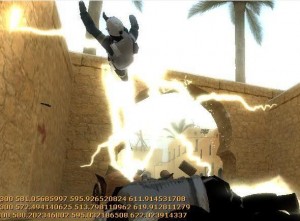
[*][color=red][size=14]Pictures[/color][/size][list]
width = 592 height = 432
[img]http://img245.imageshack.us/img245/862/festburnmw4.jpg[/img]
[*]Burn
[img]http://img523.imageshack.us/img523/6886/blackholeti0.jpg[/img]
[*]Black Hole
[img]http://img253.imageshack.us/img253/6595/drugjk2.jpg[/img]
[*]Drug
[img]http://img510.imageshack.us/img510/6064/fadetx5.jpg[/img]
[*]Fade
[img]http://img207.imageshack.us/img207/8639/drunkbi3.jpg[/img]
[*]Drunk
[img]http://img138.imageshack.us/img138/412/shakelg3.jpg[/img]
[*]Shake
[img]http://img177.imageshack.us/img177/2627/rocketgv2.jpg[/img]
[*]Rocket
[img]http://img119.imageshack.us/img119/8563/extinguishrm9.jpg[/img]
[*]Extinguish
[img]http://img505.imageshack.us/img505/7360/deadchatav3.jpg[/img]
[*]Dead Chat
[/list]
[/list]



 Upload Addon