[color=red][size=18]Requires one of the Following[/size][/color][list][*]Mani Admin Plugin
[*]SourceMod
[*]Native Tools[/list]
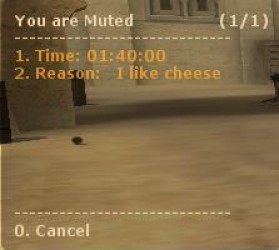
I was tired of me muting someone, and then them just rejoining. So now, you can give someone a timed, reason mute :D if they rejoin, they still get muted.
admins can type !mute "player" "time" "reason" in chat to mute a player and !unmute "player" to unmute a player
admins can also type !mutemenu for a popup
players may also type !votemute to votemute a player
[syntax="es"]// Enable/Disable votemute 1 == enabled, 0 == disabled
bmute_enable_votemute 1
// The vote ratio to players needed to votemute a player
bmute_vote_ratio 0.5
// The minimum votes required to votemute a player
bmute_min_votes 3
// Admins who can use the mute features
// If you want to use mani admins, put mani_admins in here
// split by a comma
bmute_admins "STEAM_0:0:11089864,STEAM_0:0:00000000000,STEAM_0:1:111111111"
// The mute menu reasons
// Split by a |
bmute_menu_mute_reasons I dont like you|Spammings
// The forum link for people to try to get unmuted
// Have as None if disabled
bmute_forum_link None[/syntax]
Installation
Extract the zip file to the ./cstrike/ directory
Edit the config ./cstrike/addons/eventscripts/bmute/bmute.cfg to your liking
add es_load bmute to your autoexec.cfg
restart your server
Version Notes For 2.0.0
Updated on: 2010-03-01 21:12:58 EST by bonbon (View Zip Contents)
Completely re-wrote, votemute will hopefully work now, although I couldn't 100% test it, because I only had bots. If you would test it, and report where it does/does not work, that would be great.
Added a config file for easier config



 Upload Addon